











 Hot
Hot

Vavada casino login in Ukraine — sign-in and access recovery
Vavada log-in is done through the sign-in button on the home page: you enter the details of the profile you created, your login and password. Access to Vavada is open around the clock from desktop and mobile devices, and there is no separate mobile account. Below we cover the log-in form, how it behaves on different devices, common sign-in errors, the password recovery procedure, how active sessions work and the basic rules of profile security.
If you registered through a social network, you sign in to Vavada casino the same way, and in that case no password was ever created for the email form. When a password is not accepted, first check the keyboard layout, that it was typed correctly and the page address. There is no need to create a second account: duplicates break the rules of the Vavada platform.
This material is for information only and is not an invitation to gamble. Gambling is available to persons aged 21 and over and involves financial risk.
| Parameter | Value |
|---|---|
| Log-in method | Sign-in button on the Vavada website |
| Details | Email or phone number + password |
| Alternative | Social network, if you registered through it |
| Availability | Around the clock, desktop and mobile devices |
| Password recovery | The "Forgot password?" button in the log-in form |
| Reset channels | Instructions by email or an SMS to your phone |
The Vavada casino sign-in form
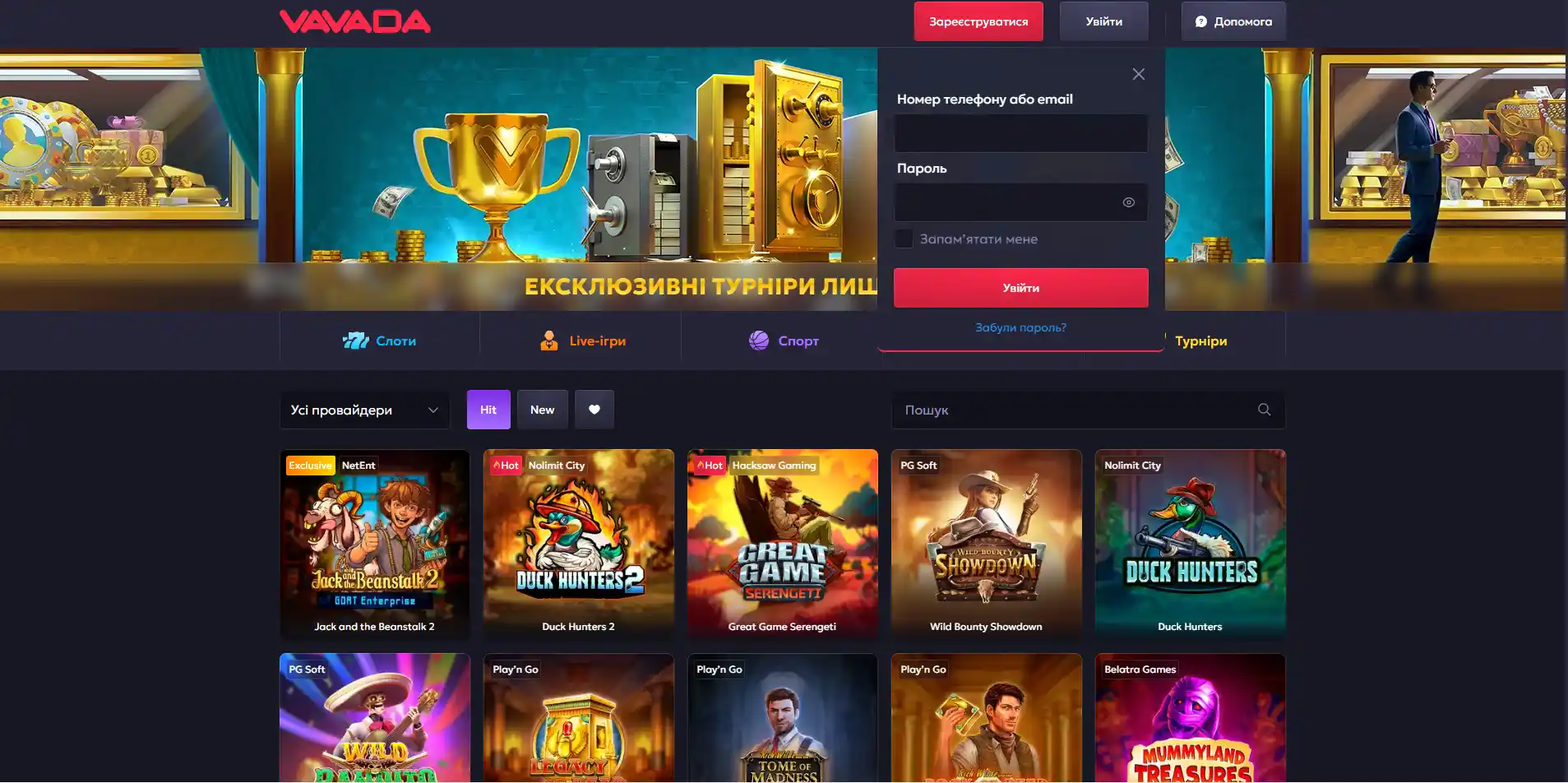
The Vavada log-in form is compact: two fields and a confirmation button. The login is the email address or phone number provided at registration. The password is case-sensitive. Next to it is the "Forgot password?" button, which starts a password reset without involving support.
What details you need to log in
- The email address or phone number from your Vavada profile.
- The password created at registration.
- Access to your mailbox or SIM card if log-in confirmation is enabled.
- Your social network account, provided you registered through it.
What the account shows after log-in
Logging in to your Vavada account opens your balance in hryvnias, bet history, the payments section, bonus status and security settings. Without signing in, the Vavada game catalogue is available only in demo mode, with bets, deposits and withdrawals blocked.
Logging in from different devices on the Vavada site
The Vavada mobile version uses the same details as the desktop one: there is no separate profile for smartphones. Logging in through the app, a phone browser or a computer leads to the same account with a single balance.
First sign-in from a new browser
Logging in from a new device may involve an extra check: confirmation by SMS or confirmation by email. This is standard Vavada account protection, not a malfunction. The code is valid for a limited time, usually a few minutes.
Mobile log-in on Android and iPhone
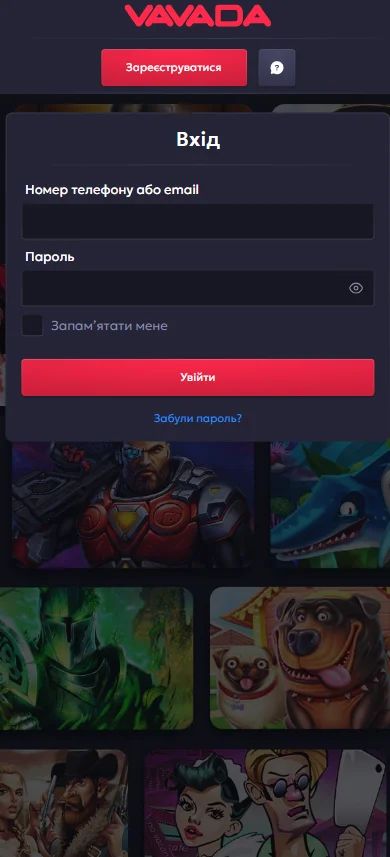
You log in from a phone through the browser or the Vavada mobile app. Password autofill on iOS and Android sometimes inserts outdated details; in that case, clear the field and type the password manually.
Switching networks during a session
Switching from Wi-Fi to mobile data changes your IP address, so the Vavada system may ask you to sign in again. No data is lost: the session is simply refreshed.
| Device | Log-in specifics |
|---|---|
| Computer | Log-in from a computer through a browser, full version of the account |
| Smartphone (browser) | Mobile version, same login and password |
| App | Log-in through the app, the session is kept longer |
| Tablet | Responsive interface, no separate registration needed |
Log-in details are not accepted on the Vavada gambling platform
A sign-in error has several possible causes: a wrong password, a keyboard layout set to another language, Caps Lock turned on or a phishing copy of the Vavada site. Creating a second profile does not solve the problem and leads to both accounts being blocked.
Password rejected with a correct login
If the login is accepted but the password is not, check the letter case and input language. Another common cause is registering with Vavada through a social network: no password was created for the form in that case, and you log in with the social network button.
The log-in button does not respond
- Refresh the page with the reload key.
- Clear the browser cache and cookies.
- Disable ad blockers and VPN extensions.
- Try another browser or a private window.
- Check that your internet connection is stable.
The recovery code does not arrive
The email with instructions from Vavada often lands in "Spam" or "Promotions". An SMS is delayed when the signal is weak or when roaming. Send a repeat request no sooner than 2-3 minutes later, otherwise the form will be temporarily blocked.
| Symptom | Action |
|---|---|
| Cannot log in, password rejected | Check the keyboard layout, letter case and page address |
| The form does not submit | Clear the cache, disable extensions |
| The code does not arrive | Check spam, wait for a signal, request again |
| Blocked account | Contact Vavada support, do not create a new profile |
Regaining access to Vavada Casino
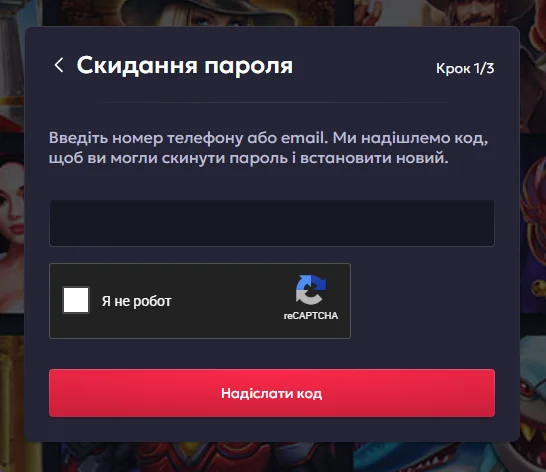
Password recovery is started with the "Forgot password?" button in the Vavada log-in form. The system asks you to enter an email address, to which instructions will be sent, or a phone number, to which an SMS with a code will be sent. The new password is set immediately after following the link.
Password reset via a contact
- Open the Vavada log-in form and click "Forgot password?".
- Enter the email address or phone number from your profile.
- Receive the instructions by email or the code by SMS.
- Create a new password: at least 8 characters, with upper- and lower-case letters and digits.
- Log in to your account with the updated details.
No access to your old phone
- Use email as an alternative reset channel.
- Have your registration details ready: the date, account currency and recent transactions.
- Write to Vavada support from the address linked to your profile.
- Complete verification with a document if the operator requests it.
Pause after failed attempts
A series of incorrect entries temporarily blocks the form for a few minutes as protection against automated password guessing. If log-in still returns an error after you change the password, you need to contact Vavada support.
Active sessions at Vavada casino
The Vavada platform records every sign-in: the device, browser and approximate location. Reviewing sessions in the security settings shows whether anyone else has used the profile.
Phone and computer at the same time
Parallel sessions are allowed at Vavada: the balance and bets are synchronised across devices. The same game open in two windows may be cut off, as the server keeps only the latest connection active.
When the system asks you to log in again
- Long inactivity: the session closes automatically.
- A change of IP address or network.
- Clearing cookies or updating the browser.
- Password reset: all sessions are forcibly ended.
Ending unwanted log-ins
You log out of your Vavada account on someone else's device with the end session button in the settings. After a password change, active connections are terminated and you have to sign in again everywhere.
Profile security on the Vavada site
Two-factor authentication is the main barrier against theft of access to Vavada. Do not reuse the password from your email or banking services: a leak of one database compromises the rest.
What a fake log-in page looks like
- A domain with extra characters, hyphens or a different domain zone.
- No HTTPS certificate in the address bar.
- A request for passport details or a card code right in the form.
- A promise of a bonus in exchange for entering your password.
Steps after a suspicious sign-in
- Change the password for your Vavada profile and your email.
- End all active sessions.
- Enable log-in confirmation by code.
- Check your payment history and notify support.
Shared devices and private mode
On a shared computer, a private browser window ensures a safe log-in to Vavada: no data is saved after it is closed. Do not enable the "remember me" option on someone else's device.
| Measure | Effect |
|---|---|
| Unique password | A leak of a third-party database does not expose the profile |
| Confirmation code | Blocks log-in without access to the phone or email |
| Domain check | Rules out a phishing copy of the Vavada form |
| Session control | Detects unauthorised connections |
| Deposit limits | Limits financial losses |
FAQ about logging in to Vavada
Short answers to the questions that come up most often after your first sign-in to Vavada.
Do I need a new profile after changing devices?
No. Vavada online casino ties your details to a single account, and you log in from a smartphone, tablet or PC with the same login and password. A second account is treated as a duplicate and leads to blocking.
Are my balance and bonuses kept after logging in again?
Yes. Funds and active bonuses are tied to the profile, not to the session. Logging in to Vavada after a session ends automatically brings back your account exactly as it was. The bonus wagering period keeps running regardless of whether the player is signed in or not.
Why are some features restricted after log-in?
The reason is incomplete verification. The Vavada gambling platform enables withdrawals once your identity is confirmed with a document. The restriction is lifted within a few hours or days after the check.
What should I do without access to my old email?
Use your phone number to reset the password. If both channels are unavailable, you need to contact Vavada support with your registration details and a document. Changing the email yourself without verification is not possible.
This article is for information only and is not an invitation to take part in gambling. Play responsibly, set deposit limits and seek help if you notice signs of gambling addiction.